THE INTEGRATION GUIDE
A clear path from
capture to result.
Keep your API key on your backend. Give the capture client only a short-lived session token. Retrieve the final result from your server.
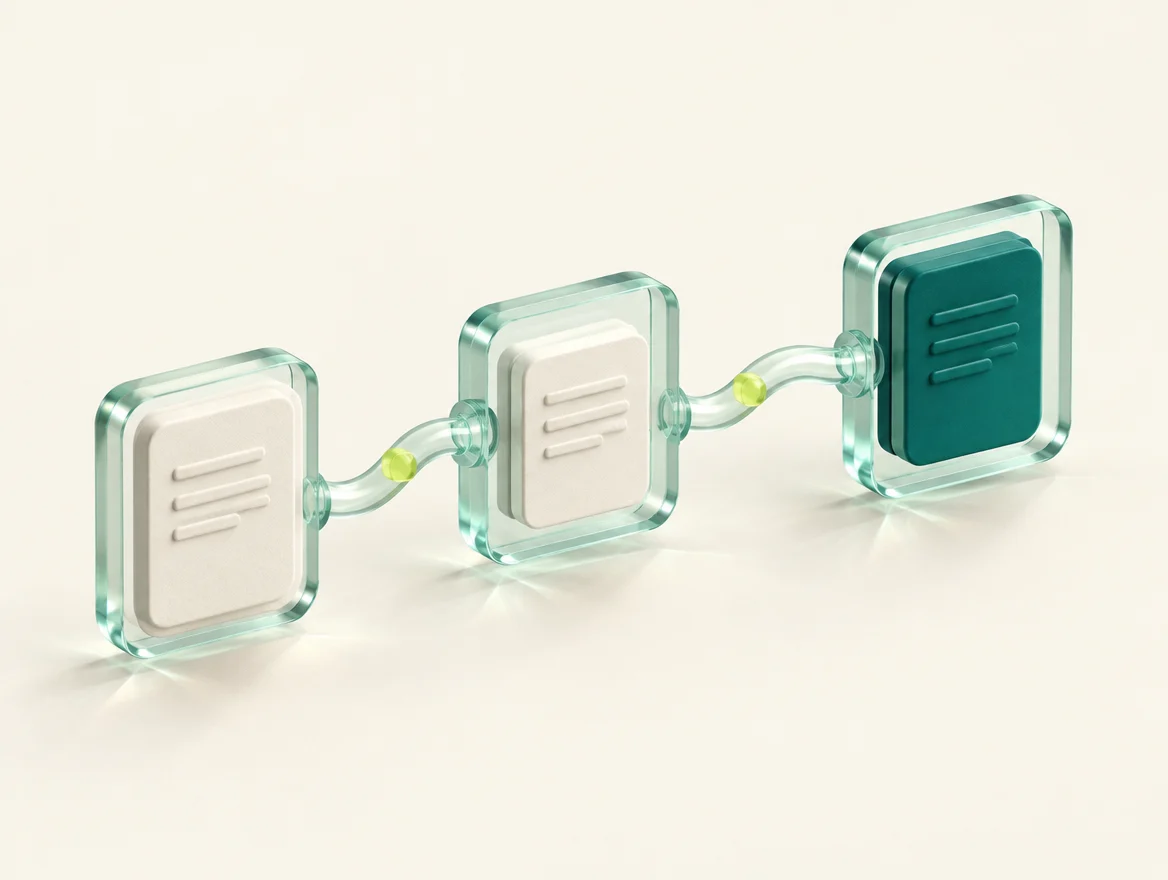
Your backend creates the session. Your client captures with a short-lived token. Your backend retrieves the result.
Get started
- Create your business account. Sign in through the console. Test and Live use separate websites, sign-ins, keys and balances. Live processing needs confirmed paid funds or an issued welcome credit.
- Create an API key. The secret is shown once. Save it in your server secret manager, never in an app or browser bundle.
- Collect consent, then create a session. Use an opaque subject reference and a stable idempotency key for this request.
- Present capture and retrieve the result. Your backend independently reads the attempt saved for the authenticated customer and compares its subject reference and quote.
curl "$VERIFY_API/v1/sessions" -H "Authorization: Bearer $VERIFY_SERVER_KEY" -H "Idempotency-Key: $REQUEST_ID" -H "Content-Type: application/json" -d '{"subjectReference":"customer-reference","captureMode":"guided","consent":{"version":"2026-10-06","acceptedAt":"YOUR_CONSENT_TIMESTAMP"}}'Replace environment variables, customer reference and timestamp with your own values. These are example placeholders, not working credentials.
Build in Test. Choose Live deliberately.
Test has its own website, sign-in, API keys and test-credit balance. It returns clearly labelled synthetic scenarios without calling identity providers. Live uses real processing and its own paid or confirmed welcome-credit balance. Switching environments opens the configured other console and asks you to sign in there; credentials are never transferred.
Test an outcome
Read GET /v1/testing/scenarios for supported scenarios. Send testScenario when creating a session, then submit {"testInput":true} with its scoped token. RC lookup uses an empty body. Keep the same session and idempotency key when retrying. Scenario choices cannot change after the quote.
Refill without a payment
Owners and billing members can add bounded test credits in the Test console. Current allowance and caps come from GET /v1/testing/credits. A refill uses POST /v1/testing/credits with an empty body and an immutable idempotency key. These credits have no Live value.
Each API response identifies its execution mode and provider environment. Check these markers on your backend as well as the result identity. A synthetic success is a test fixture, never evidence that a real person or document passed. Provider sandbox is a separate mode and must not be treated as Live.
Welcome credit is available only when the Live service confirms an active campaign, verified-business eligibility and an issued grant. Business owners submit records for review; an operator authorizes supplier checks and confirms representative authority. A grant is monetary value based on ten face checks at its original price. The console shows its actual receipt and remaining promotional balance separately.
Two credentials, separate jobs
Backend API key
Send it as a Bearer credential when creating sessions or retrieving verifications. Revoke keys from the console when no longer needed.
Capture session token
The session response includes a short-lived token. It can submit and read that session only. It does not grant account or billing access.
Console owners use a dedicated Cognito access-token session with the verify/portal scope. Platform pricing permissions are granted by the server.
Capture is guidance. The result comes from the server.
A guided session asks for one blink and captures a still photo. The provider processes the final image for quality, face presence and image liveness. Local movement observations do not prove video liveness or identity. Document checking is a separately priced service; an eligible prior face attempt can be linked for comparison.
The session ID is also the attempt ID. The session response supplies the exact price and expiry. Submit a JPEG and the capture evidence using the session token and a stable submit idempotency key. Poll GET /v1/sessions/SESSION_ID for a pending result; your backend uses GET /v1/verifications/ATTEMPT_ID.
| Status | Meaning |
|---|---|
ready | Session is ready for submission. |
queued / processing | Processing is underway. Retrieve the existing attempt. |
verified | The server returned passing checks. |
rejected | The processed image did not pass. This processed result is charged. |
needs_review | A document was processed and charged, but an applicable check needs review. This is not an approval or a transport failure. |
not_processed | The service confirmed non-processing, released any reserved funds and completed the attempt without a charge. |
pending_reconciliation | The provider outcome is uncertain. Funds stay reserved; do not create a replacement for the same attempt. |
Document checks with a separate quote
Create a document session on your backend, then submit one JPEG through the same session submission route. One image is one paid document attempt, not a batch or a set of document sides. A clearer replacement is a new session with an explicit new quote.
POST /v1/document-sessions
Authorization: Bearer YOUR_SERVER_API_KEY
Idempotency-Key: YOUR_DOCUMENT_REQUEST_ID
Content-Type: application/json

{
  "subjectReference": "your-customer-reference",
  "documentType": "pan",
  "expected": {
    "name": "CONSENTED_CUSTOMER_NAME",
    "dateOfBirth": "YYYY-MM-DD"
  },
  "verifiedFaceAttemptId": "OPTIONAL_VERIFIED_FACE_ATTEMPT_ID",
  "consent": {
    "version": "2026-10-06",
    "acceptedAt": "YOUR_CONSENT_TIMESTAMP"
  }
}
Illustrative placeholders only. Omit verifiedFaceAttemptId if no comparison is requested. Never place government identifiers in subjectReference.
| documentType | Required expected fields | Optional expected fields |
|---|---|---|
aadhaar | name, dateOfBirth | aadhaarLastFour, exactly four digits. No full Aadhaar number. |
pan | name, dateOfBirth | documentNumber |
driving_license | name, dateOfBirth | documentNumber |
vehicle_rc | vehicleNumber | name of registered owner |
Use YYYY-MM-DD for date of birth. Aadhaar needs a readable secure QR for an authoritative pass. PAN and driving licences use OCR and official verification; RC is compared with its registration record. OCR extraction alone does not establish authenticity. PUC, permits, insurance and rental-document checks are not supported by this API.
An optional face reference must be a completed, provider-verified face attempt from the same business and subject, created within the previous hour, with its reference image still available. It is supported for identity documents, not RC. This comparison is included in the document quote and does not trigger another face-liveness charge.
The response identifies service: document_check, the documentType, quoted pricing, and capturePolicy: {version: "document-image-v1", actions: []}. Submit a JPEG up to 2 MiB through POST /v1/sessions/SESSION_ID/submit with a stable submit idempotency key. Do not send blink evidence for documents.
documentChecks: {
  imageQuality: boolean | null,
  fraud: boolean | null,
  officialRecord: boolean | null,
  identity: boolean | null,
  faceMatch: boolean | null
}
true means the corresponding check passed; false means it did not pass. null means not established, and faceMatch is null when no comparison was requested. The public result contains no entered identifiers or raw OCR. Only the server decides the final status; an animation or extracted text is not approval.
Alethic server SDK
The Node package @alethic/sdk requires Node 22 or newer and runs only in your backend. It is private and not published to a registry. Copy the supplied verification/sdk/node package into vendor/alethic-sdk and add a local dependency.
{
  "dependencies": {
    "@alethic/sdk": "file:vendor/alethic-sdk"
  }
}
import { Alethic } from '@alethic/sdk';
const verify = new Alethic({
baseUrl: process.env.ALETHIC_API_URL,
apiKey: process.env.ALETHIC_API_KEY,
});
const session = await verify.createSession({
subjectReference: customerReference,
consent: {version: '2026-10-06', acceptedAt: recordedConsentTime},
}, {idempotencyKey: stableRequestId});
// Pass this scoped session to the authenticated capture client.
// After capture, retrieve the authoritative result on your backend:
const result = await verify.getVerification(session.id);Persist the request identity before sending. The SDK never automatically repeats a paid request. For documents, use createDocumentSession with the document fields above. getPricingCatalog returns independent face and document prices. Keep the permanent API key on your server.
Mobile capture SDK
The Flutter SDK targets native iOS and Android. Your merchant backend creates the session. Only its short-lived capture response goes to the app. Preserve the same session and image identity when resuming an interrupted submission.
The companion package is named alethic. It is private and not published to a package registry. Copy the provided verification/sdk/flutter package into your app's vendor folder and use a local path dependency.
dependencies:
  alethic:
    path: vendor/alethic
import 'package:alethic/alethic.dart';
final verifier = Alethic(
apiBaseUrl: Uri.parse(trustedServiceBaseUrl),
);
final session = VerificationSession.fromJson(merchantSessionResponse);
final outcome = await verifier.present(context, session: session);
if (!outcome.cancelled) {
final attempt = outcome.attempt!;
// Your backend must independently retrieve this attempt.id.
}
// Recover the original operation without opening the camera:
final attempt = await verifier.resume(session: session);
// Call close() only after the capture routes have finished.
verifier.close();Use resume when recovering an interrupted attempt, not as a request for another capture. Never put your backend API key in the app. The SDK returns the server's attempt and billing state; a local camera animation is not a verdict.
Requirements: Flutter 3.44+, Dart 3.12+, Android API 24+ with compile SDK 36, and iOS 16+. This Flutter capture package does not target web or desktop. Add camera permission on Android and NSCameraUsageDescription on iOS; the package README includes native setup and camera ownership instructions. No microphone permission is needed.
CaptureTheme supports your brand name, colors, font and decorative illustration. The capture guidance includes 15 locales. Supply fonts with the correct language glyphs. Physical-device and provider acceptance remain separate from package compilation and tests.
Browser, Swift and Kotlin
Alethic also includes a browser camera widget, a native Swift package and a native Android library with an example app. These use camera-only still-image liveness with the server's image mode. They do not claim a blink challenge. Each shows the quoted price, consent, local photo advice and server result tracking, with light and dark appearance.
All packages are currently private source integrations. Choose your platform in the integration assistant for its actual setup code. Browser camera access requires an approved HTTPS origin and permission. Physical-device and merchant acceptance are required before release.
Assistants, workflows and evidence
Open Verification assistants in your console for localized next-step guidance, document-chain comparisons, recovery, review and billing reconciliation. Reports read stored evidence and do not start another paid check.
GET /v1/verifications/{id}/insights: next action, evidence status and activity. Supported guidance languages: English, Hindi and Kannada.GET /v1/reports/document-chain: compare bound Aadhaar, driving-licence and RC attempts for one customer. A different vehicle owner requires ownership review.GET /v1/reports/billing: linked charges and provider receipts, with explicit pagination and coverage limits.GET/PUT /v1/workflow: versioned required-document and face-comparison rules. These are advisory; the business must enforce its onboarding policy.POST /v1/workflow/evaluate: compare existing attempts against an exact saved workflow version. Returns missing requirements, review findings or eligibility without granting application access or starting another paid check.GET /v1/reports/expiry?attemptId=…: current validity from retained official evidence. New verified licence and RC results retain their official expiry date beyond journal retention. Missing evidence cannot be treated as a current pass.POST/GET /v1/privacy/requests: track deletion requests for specific owned attempts. A request is not completed deletion. The existing image and journal retention rules continue independently.
Signed events and support connectors
Configure GET/PUT /v1/webhook from a portal account. One business-owned HTTPS endpoint subscribes to verification.completed and case.updated. The generic connector lets your system forward cases into its help desk. Vendor-specific help-desk adapters are not bundled.
The service signs the timestamp and exact raw JSON bytes with HMAC-SHA256. Use verifyWebhook from @alethic/sdk/webhook, reject stale signatures and atomically deduplicate the event ID in your database. Read the authoritative result with your backend key before granting access.
Delivery is off until the operator activates it. Delivery history is available at GET /v1/webhook/deliveries. A 2xx response acknowledges delivery. Temporary failures retry with the same event ID, up to eight dispatches within 24 hours. Redirects and internal network addresses are blocked. Endpoints require a public IPv4 DNS record.
POST/GET /v1/cases and GET/PUT /v1/cases/{id} provide support tracking with version checks and a timeline. Resolving a case never changes a verification verdict. Writes require a stable Idempotency-Key.
Audit exports
GET /v1/verifications/{id}/audit exports recorded consent, result evidence status and linked ledger entries without raw identity images. Each export declares its coverage and carries a reproducible SHA-256 digest. The digest is not an independent certification or digital signature.
Customer support and platform administration
Open Support in your business console to create a ticket, read replies, add context or reopen an unresolved issue. Categories cover verification, documents, billing, integration and accounts. An existing attempt can be linked without sharing its raw identity data. Support is message-based, with no phone or call channel.
Portal-only /v1/support/tickets routes enforce business ownership. Platform administrators use the separate /v1/admin/support/tickets routes. Creation, replies and status changes require a stable Idempotency-Keyand updates require the current ticket version. No support action can change a verification result or move funds. Keep passwords, API secrets and identity-document numbers out of ticket messages.
The administration dashboard requires a verified portal token with the exact server-assigned platform_admin group. It exposes current service configuration, bounded due-work samples, a business directory, customer tickets and price controls. API keys cannot obtain this access. The directory covers accounts created with directory support; old accounts need a reviewed backfill.
Read document text with OCR
Use OCR to extract text from one JPEG page of an Aadhaar, PAN, driving licence or vehicle RC. This separate AWS-backed service reads image content. It does not establish identity, authenticity, ownership or an official record. For authoritative checks, choose document verification.
Read pricingCatalog.document_ocr and ocrEnabled from the service. A missing price or disabled flag prevents new paid OCR pages. The quote includes text extraction and Alethic assistance. Processed pages are charged even when some fields cannot be read.
POST /v1/ocr-sessions
Authorization: Bearer YOUR_SERVER_API_KEY
Idempotency-Key: YOUR_STABLE_REQUEST_ID
Content-Type: application/json

{
  "subjectReference": "your-customer-reference",
  "consent": {
    "version": "2026-10-06",
    "acceptedAt": "2026-10-06T12:00:00Z"
  }
}
Keep the API key on your backend. Send the returned short-lived session to your client, review its exact price, and submit the consented JPEG through POST /v1/sessions/{id}/submit. Preserve the original session, request key and identical image on a transport retry. Read the original attempt until it is processed or not_processed; uncertain processing stays reserved.
Your authenticated backend can then read GET /v1/ocr/{id}/result. The response binds attemptId and returns available, pending or unavailable. Extracted fields include text confidence and quality warnings. Conflicting fields are omitted, full Aadhaar-format numbers are masked, and officialVerification is always false.
Review extracted fields against the original image. Confidence describes text recognition, not proof of identity. A versioned Indian-document parser interprets AWS output; Alethic does not claim to have trained a custom OCR model. Content retention can expire while the charged attempt receipt remains available. Do not log extracted values or put them into browser storage.
Pricing, reservations and retries
Fetch current pricing from GET /v1/pricing. Its pricingCatalog.face_liveness is the face price. documentPricing contains separately versioned aadhaar, pan, driving_license and vehicle_rc prices. A null entry means new checks of that document type are unavailable. The deprecated pricingCatalog.document_check is null and must never be used as a fallback. Amounts are integer paise in INR. There is no client-defined price and no fixed-price credit unit. Verification and Alethic assistance are included in the retail quote. OCR extracts image content; it does not by itself establish an official record or verified identity. A session keeps its own quote version for 15 minutes; price changes apply to new sessions.
- Creating a session checks readiness and funds, but does not reserve money.
- Submitting an image reserves the quoted amount atomically.
- A definitive processed pass, rejection or document review result converts that reservation to a charge.
- An uncertain provider result stays reserved until reconciled.
- Funds are released only when non-processing is established.
- Reuse the same idempotency key and identical input for transport retries. Changing the image or request under that identity conflicts.
Inspect billing.status, billing.amountPaise and billing.priceVersion. Never infer charging solely from a visual badge or an HTTP timeout.
Add funds with Razorpay
The console creates an order through the API and opens Razorpay Checkout. Payment completion in the browser is only a notification. Funds become usable when the backend confirms a captured payment, validates its exact order, amount and currency, and credits it once.
A pending or interrupted payment can be refreshed from the same top-up ID. When payment credentials are not configured, the console explains that payments are unavailable.
API reference
| Method | Route | Credential |
|---|---|---|
| GET | /v1/public/config | Public |
| GET | /v1/pricing | Public |
| POST | /v1/document-sessions | Portal token or backend key |
| GET / POST | /v1/account | Portal access token |
| GET / POST | /v1/keys | Portal access token |
| DELETE | /v1/keys/{id} | Portal access token |
| GET / POST | /v1/topups | Portal access token |
| GET | /v1/topups/{id} | Portal access token |
| POST | /v1/topups/{id}/confirm | Portal access token |
| GET | /v1/ledger | Portal access token |
| GET | /v1/verifications | Portal token or backend key |
| GET | /v1/verifications/{id} | Portal token or backend key |
| POST | /v1/sessions | Portal token or backend key |
| POST | /v1/sessions/{id}/submit | Session token |
| GET | /v1/sessions/{id} | Session token |
| GET / PUT | /v1/admin/pricing/{face_liveness|document_check} | Platform admin portal token |
Lists return {items, nextCursor}. Pass ?cursor=… to continue. Mutations use Idempotency-Key. Errors return {error:{code,message,requestId?}}; preserve a supplied request ID when contacting support.
Consent and data
Collect permission before capture or upload. Use an opaque internal customer reference rather than a government identifier. Images are private and are not returned in account history. The deployment operator must publish its configured image-retention policy before launch; financial metadata has a separate retention period.
The browser playground accepts JPEG files up to 2 MiB. Expected document details stay only in memory. Recovery metadata stores their hash, not the entered name, date of birth or document number. After reloading during an unresolved quote request, re-enter the same details to recover the original request. It retains the selected image in memory for a same-input retry. Keep this tab open while recovering an interrupted submission. After closing it or clearing browser storage, inspect verification history and resolve the original attempt before starting another paid check.
Ready to connect?
Open the business console ↗RC record lookup
Use a vehicle registration number when you need a registry record without uploading an RC photo. This is separate from document image verification and OCR. The response does not verify the presenter's identity, face or an uploaded image.
Fetch pricingCatalog.vehicle_rc_lookup and rcLookupEnabled. A missing price or disabled flag prevents new paid lookups. Never substitute the document-image price.
POST /v1/vehicle-rc-sessions
Authorization: Bearer <server-side-business-api-key>
Idempotency-Key: <stable-request-id>

{
  "subjectReference": "your-internal-reference",
  "vehicleNumber": "<registration-number>",
  "expectedOwnerName": "<optional-owner-name>",
  "consent": {"version": "2026-10-06", "acceptedAt": "<ISO timestamp>"}
}
Keep the business API key on your server. Confirm the returned immutable quote, then explicitly submit {} to POST /v1/sessions/{id}/submit with the scoped session token and the original submission idempotency key. No image or blink metadata is accepted. A transport retry must keep both request identity and payload unchanged.
Track the original attempt with GET requests. A completed lookup is processed and charged, including missing-record or review results. An uncertain outcome stays reserved; not_processed confirms release without a charge. A processed receipt is not an identity approval.
Your backend can read GET /v1/vehicle-rc/{id}/result for private registered-owner and vehicle details. The result includes its record decision, nullable checks, provider and check time, with identityVerified: false and imageVerified: false. Match the response attempt ID to the original quote. Missing fields and checks are not passes. Private details expire separately from the retained billing receipt.