ALETHIC ENGINEERING · GUIDE
Test the whole uptime alert, including recovery
A saved monitor is only the start. Verify ownership, create a controlled failure, follow the incident to its recipient and confirm the recovery message.
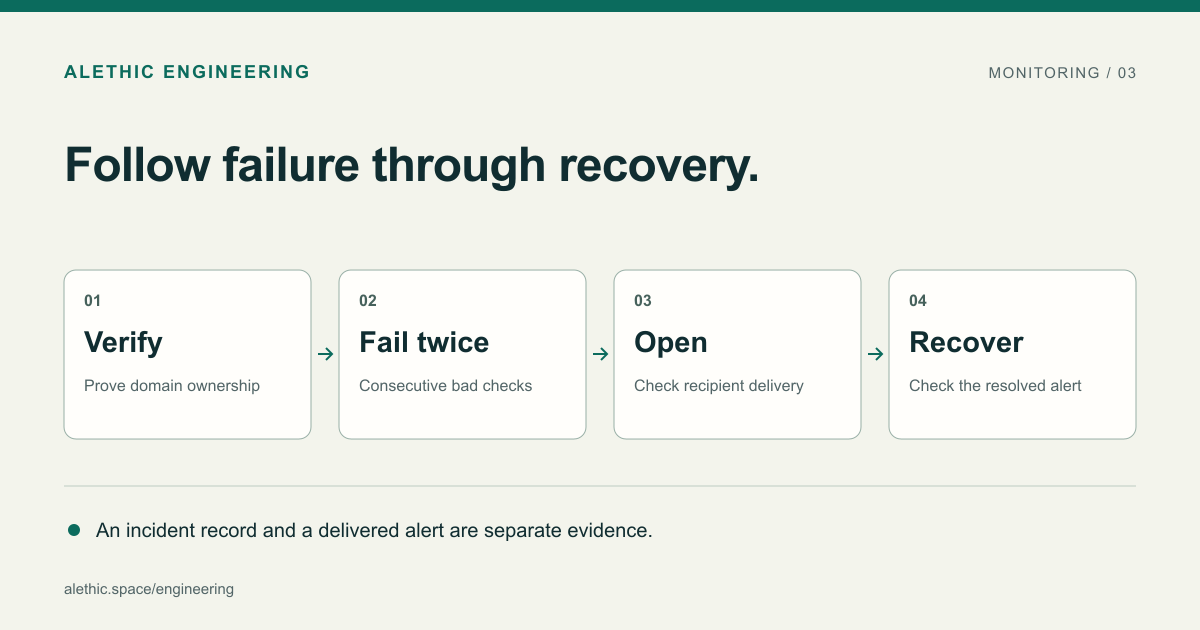
Prove ownership before judging monitor health
Create the monitor in the intended project with monitoring enabled for the workspace. Use the public HTTPS endpoint you want to observe and select its interval. Alethic supports intervals of 5, 10, 15, 30 or 60 minutes; a short interval changes detection time, not the need to validate ownership.
Publish the exact challenge supplied by Alethic at /.well-known/alethic-monitor on the monitored origin. The proof request must return HTTP 200 with the matching challenge body. Check the public response after deployment, since a local file or a successful build does not prove that the origin serves it.
An unverified monitor does not accumulate failures toward an outage incident. If ownership remains unverified, fix the proof response first. Repeatedly changing alert recipients cannot repair that condition.
Know what the probe measures
The monitor resolves a public IPv4 destination, establishes a verified TLS connection and sends an HTTPS HEAD request. Ownership verification uses GET. Private-address destinations are rejected, and the probe does not follow redirects. A redirect response therefore does not prove that the final destination works.
A healthy result requires a status from 200 through 399 and a certificate expiry more than seven days away. An endpoint can return 200 and still be unhealthy because its certificate is too close to expiry. Inspect the recorded status, certificate expiry and failure reason together.
This is an external check from one region. It does not cover every user's network, an authenticated journey or a browser rendering failure. Use application telemetry and journey tests for those questions. Certificate monitoring reports expiry; it does not issue or renew certificates.
Exercise the incident transition on a test endpoint
Choose an endpoint whose response you can safely change without affecting customers. Keep its ownership challenge available while changing the monitored HEAD response. Allow enough time for the configured interval and record the actual check timestamps instead of assuming a fixed wall-clock deadline.
- Establish a healthy baseline with ownership verified and a certificate valid for more than seven days.
- Change the test endpoint to return an unhealthy status such as 503. Confirm that the first failed check is recorded.
- Wait for a second consecutive unhealthy check. Confirm that one incident opens for the monitor.
- Inspect the incident.opened delivery and confirm that the configured recipient or webhook consumer actually receives it.
- Restore the healthy response. Confirm that a healthy check resolves the existing incident and that incident.resolved reaches the same intended destination.
Separate incident creation from notification delivery
An incident record shows that monitoring detected a transition. It does not show that an email arrived or that a webhook consumer processed an event. Check the workspace alert policy, selected destination and its delivery result separately. For email, confirm receipt in the destination mailbox. For a signed webhook, validate the signature using the integration documentation before accepting the message.
Keep the event identifier when a webhook is retried, and make downstream handling idempotent. A repeated delivery should update or acknowledge the original incident rather than create another ticket. Save a redacted record of the open and resolved events, their delivery outcomes and the destination's acknowledgement.
| Evidence | Acceptance question |
|---|---|
| Ownership response | Does the public origin return the exact challenge? |
| Two failed checks | Did the monitor record consecutive failures? |
| Open incident | Was a single incident created for that transition? |
| Recipient acknowledgement | Did the configured destination receive the event? |
| Resolved incident and alert | Did recovery close the same incident and reach the recipient? |
Leave the monitor with an owner
Record who receives ongoing alerts, who can change the endpoint and who renews its certificate. Include the monitor interval and the last completed open-and-recover test in the handover. Check entitlement or subscription pauses explicitly; a paused monitor is not evidence that an endpoint is healthy.
Repeat the delivery test after changing recipients, webhook credentials, routing or domain hosting. A previous successful delivery applies to the configuration tested at that time. It cannot establish that a newly configured destination is working.